How to Identify a Building From a Photo
You walked past a striking building and wondered what it is, how old it is, or who designed it. Here are five practical ways to identify a building from a single photo — ranked from quickest to most thorough.
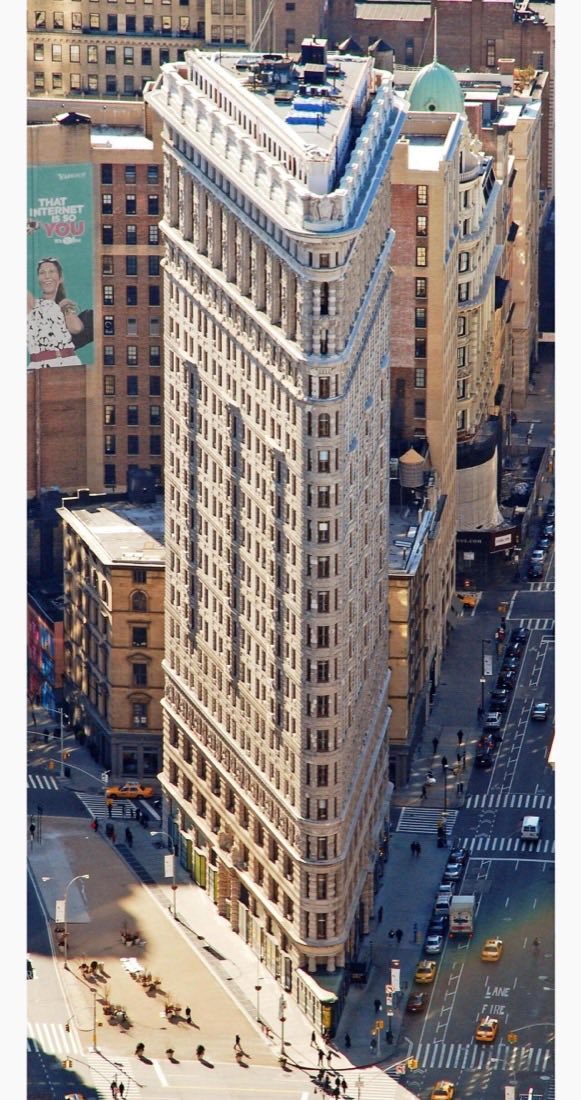
1. Read the visual clues yourself
Every building carries evidence of its age and origin. Before reaching for an app, scan the photo for these tells:
- Materials: Handmade brick, stone, stucco, concrete, and glass curtain walls each point to different eras.
- Windows: Sash windows, casements, steel Crittall frames, or floor-to-ceiling glazing are strong dating signals.
- Roofline and ornament: Gables, cornices, parapets, and decorative detailing hint at a style.
- Proportions and symmetry: Georgian buildings are strictly symmetrical; Victorian ones are often deliberately not.
Our guides on identifying architectural styles and telling the age of a building break these clues down in detail.
2. Try reverse image search
Upload your photo to Google Lens or a reverse image search engine. This works well for famous landmarks that appear in many indexed photos, but it usually fails for ordinary houses, offices, and shops — there simply isn't a labelled reference image to match against.
3. Check the location on a map
If you know where the photo was taken, a mapping service with street view and business listings can tell you the address and current occupant. It won't tell you the architectural style, the period, or the story behind the design.
4. Use an AI building-identifier app
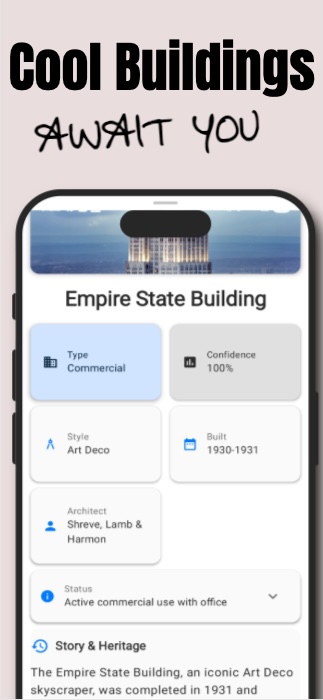
This is the fastest route to a genuine answer for any building. Instead of trying to match your photo to an existing image, an AI model reads the architectural features directly — materials, proportions, window types, ornament — and combines them with location context to describe what the building is.
Read the clues in a building photo
Building Lore is a free Android app. Point your camera at a building, tap once, and get its architectural style, era, and history instantly.

5. Ask a local archive or heritage group
For a definitive record — original architect, construction date, listed status — local libraries, planning archives, and heritage societies are the gold standard. In England, Historic England's National Heritage List is the official register; historic map collections like the National Library of Scotland's show when a street first appeared. Use these to confirm what your visual read or AI analysis suggested.
Which method should you use?
Each tool solves a different problem, and the honest answer is that they complement each other:
| Method | Best at | Falls short when |
|---|---|---|
| Google Lens / reverse image search | Naming famous landmarks instantly; finding the exact same photo online | The building is ordinary — no labelled reference photo exists to match |
| Map & street-view apps | Confirming the address and current occupant of a building you can locate | You want the style, age, or history rather than what's there today |
| Building Lore (AI analysis) | Describing any building's style, era, and likely history from one photo, even with no online record | You need a legally definitive construction date — verify against archives |
| Archives & heritage lists | Authoritative records: architect, exact date, listed status | You want an answer on the spot; research takes time |
In one sentence: reverse image search recognizes buildings it has seen before, while an AI building-identifier app like Building Lore reads the architecture itself — so it works on ordinary buildings, not just landmarks.
The fastest workflow
In practice, the methods work best together: use an AI app like Building Lore for an immediate interpretation of likely style and era, then verify important specifics against a local archive or qualified expert.
Frequently asked questions
Is there an app to identify buildings from a photo?
Yes. Building Lore is a free Android app that analyzes a photo of a building with AI and returns its likely architectural style, approximate era, construction details, and historical context. Point your camera at a building, tap once, and you get an instant write-up.
Can Google identify a building from a picture?
Google Lens can sometimes match famous landmarks through reverse image search, but ordinary residential and commercial buildings may not have a labelled reference image. Building Lore instead interprets visible architectural clues and suggests a likely style and historical context.
How accurate is AI at identifying buildings?
AI can suggest architectural styles, materials, and period features from a clear photo and available location context, but the result is an interpretation rather than a guaranteed record. Verify important details against local archives or qualified experts.
Do I need an internet connection?
You need a connection to run a new analysis, because the photo is processed by AI on the server. Once an analysis is complete, Building Lore caches it on your device so you can revisit saved buildings offline.
Sources & further reading
- Google Lens: Google's own overview of what reverse image search can do.
- Historic England — The National Heritage List for England: the official record of listed buildings.
- National Library of Scotland — historic maps: free georeferenced Ordnance Survey maps for tracing a building's first appearance.